
More integrations with the services you need
Google Authentication is now supported to make it easier to send email using Google Mail Services. (CR2605-5915)
New dedicated account type for business credit cards
We’ve created a new ‘Credit Cards’ account type which more accurately reflects the way our customers use their business credit cards. This new account type replaces the old credit card type, which was designed to only be used for pay and process transactions. The existing credit card account type has been renamed to ‘Credit Card Clearing.’ End users cannot create new segments or accounts using this account type. Existing accounts and segments will display warnings advising end-users to change or create a new account. All other existing parts of the software that previously supported credit card clearing accounts continue to do so. Warnings will display in pay and process defaults as well if using a ‘Credit Card Clearing’ account. A new account type called ‘Credit Cards’ which is effectively an overdrawn bank account will be created for new and upgraded databases. New databases will not have the ‘Credit Card Clearing’ account type in their database. (CR2602-5660)
Additional defaults in cashbook processing
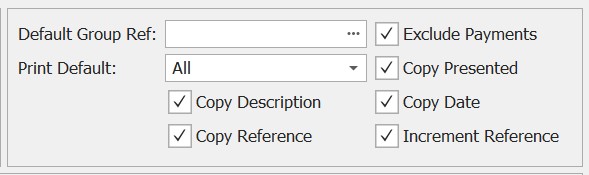
Make processing a cashbook from a bank statement a much more streamlined process. New print default options have been added, which will default to 'All' to match the previous behaviour. Standard payment and receipt report layouts will exclude GL, SV and JC line types, but customised versions by clients might require modification due to change in behaviour for those line types which didn't used to default to print. (CR2608-6522)
New rules to hide Bank Feed transactions
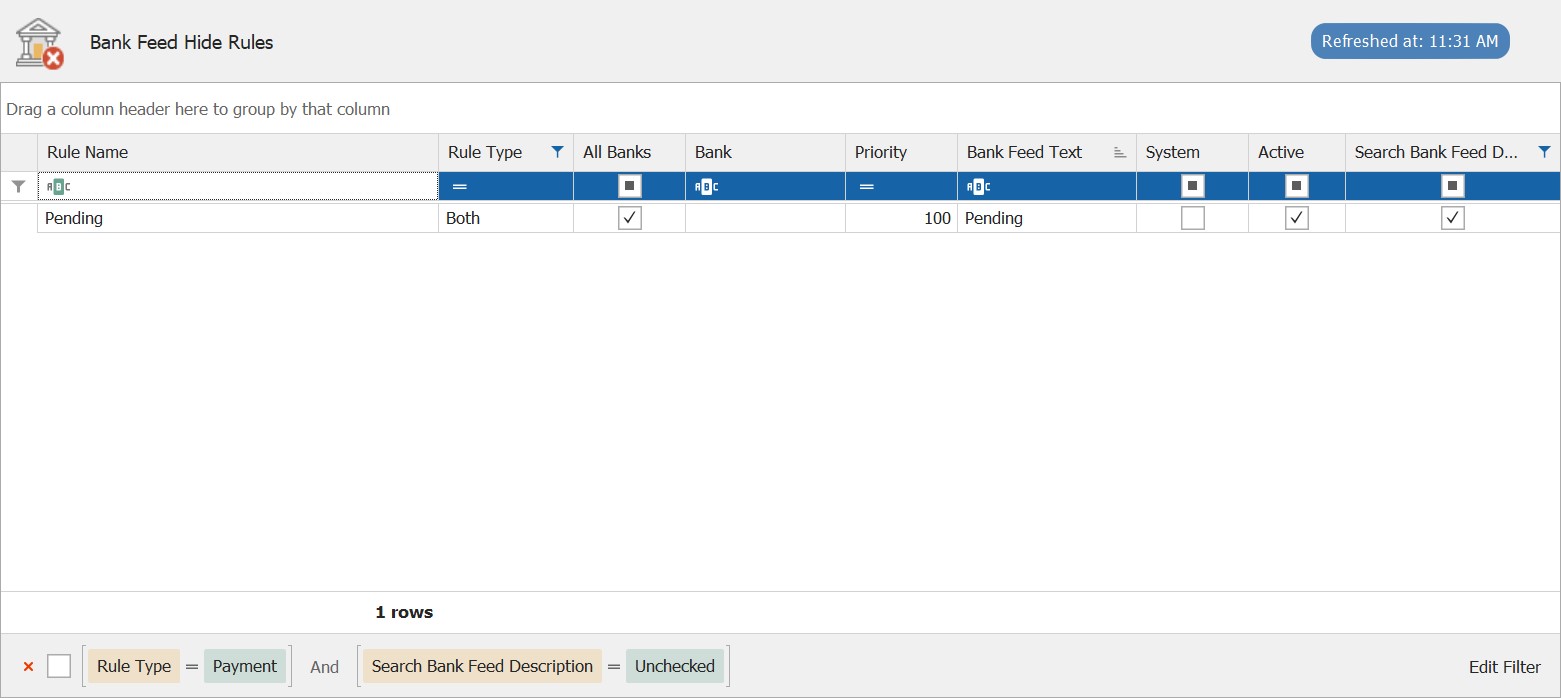
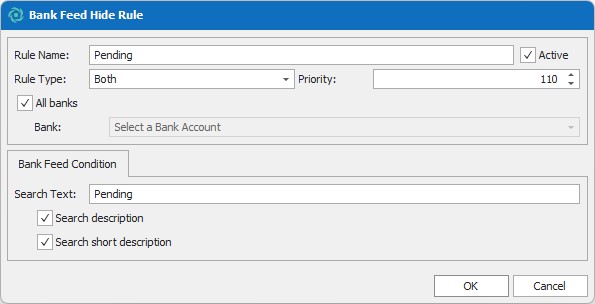
New bank feed rule type created which is run before all other rules that allow transactions to be marked as hidden before being assessed by other rules. No default hide rules will be created. (CR2601-5576)
Addition of 'blank' breakpoint file
A new breakpoint method called ‘CustomBreakpointCommonMethodShell’ makes it easier to have all custom code in a centralised place. The breakpoint invoke method will never be called, and code should be inserted above or below the module definition. This method is always compiled before all others to ensure any code referenced is accessible. Creating breakpoints is even easier with the addition of a ‘blank’ breakpoint file to serve as a template for adding in custom functionality to the software. (CR2602-5603)
Quickly create new objects
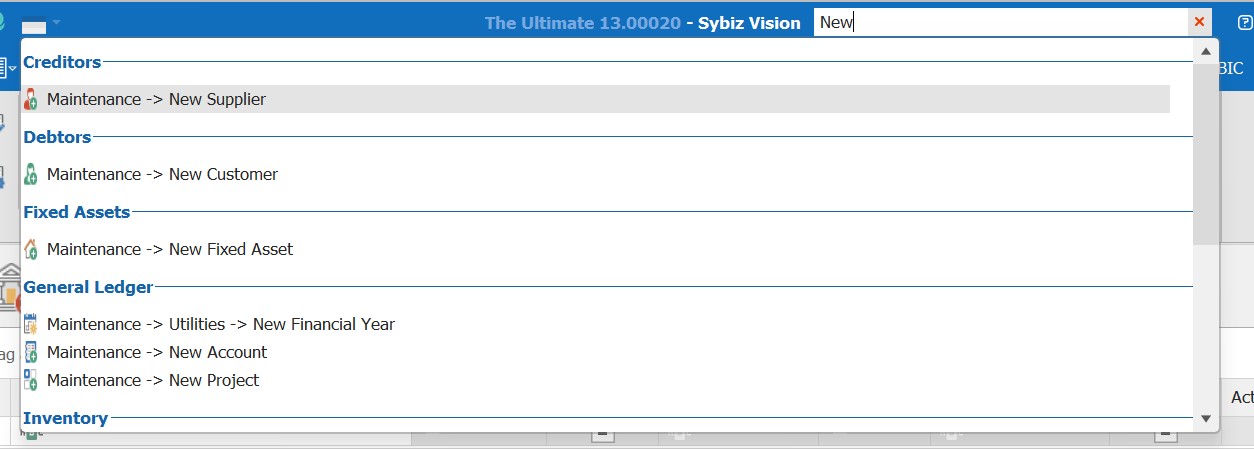
All maintenance objects that have an enquiry screen now have a quick launch option to support adding a ‘New’ record, e.g. ‘New Customer’, ‘New Job’, ‘New Product’, ‘New Project’. (CR2602-5695)
Better control over purchase requisitions
Distinguish requisitions that require approval from others
Desktop and mobile apps will only show purchase requisitions that the user can actually approve. This only applies to a multiple-step approval process. Mobile apps now have the ability to filter to only purchase requisitions that the user is next approver for, and/or a search based on the approver’s name. (CR2603-5713)
Requisitioners can edit purchase requisitions before approver action
The end-user that created a purchase requisition can make changes to it until it has been approved by at least one person (in the case of multiple); after that, only the approver can make modifications. (CR2603-5771)
No supplier needed during product Quick Add
Supplier no longer required when using Quick Add; however if provided all other preferred supplier is enforced. If an end-user wishes to enforce the requirements for a supplier, then BeforeSave breakpoint should be used. (CR2604-5839)
Run command line breakpoints directly on SybizCloud
The functionality and utility of breakpoints is now easier to implement in SybizCloud, with VisionConsole available to our SybizCloud customers. (CR2604-5840)
'None' email option in settings
A new ‘none’ option is available to disable and prevent all email functions within the program. This is the default for a new database. supress the sending of emails on transaction processing with the new ‘None’ email option in settings, helpful when utilising training databases or testing processes.
Hide the database path from the status bar
We’ve added the option to conceal the database name and path from the bottom status bar in Sybiz Vision, protecting the information of your internal system from prying eyes. Double-clicking the database name in the status bar will make it disappear; the database name visibility will be restored on the next session. (CR2604-5893)


Create custom grids in the Administration ribbon
Custom grid maintenance now have a selection for ‘Administration’ for ribbon selection. Custom grids in Administration are displayed in a Grids sub-menu in the reporting group. (CR2605-5949)
Non-reportable tax code
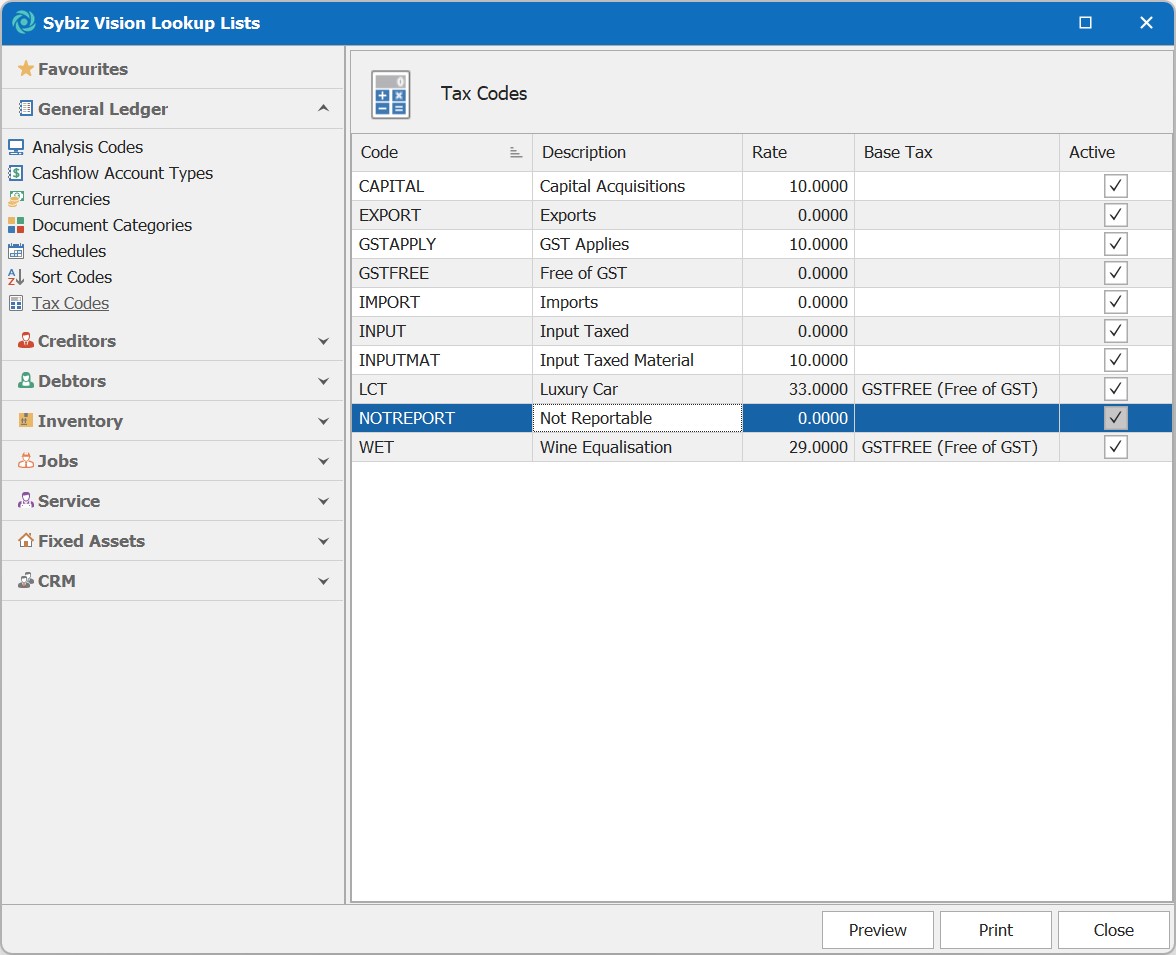
All new companies will have a default NOTREPORTABLE tax code that is not connected to the tax management reporting system such that transactions can be tagged with a zero-rated, non-reported tax code. Existing companies will not be updated or changed. (CR2605-5957)
Configure email templates with user information
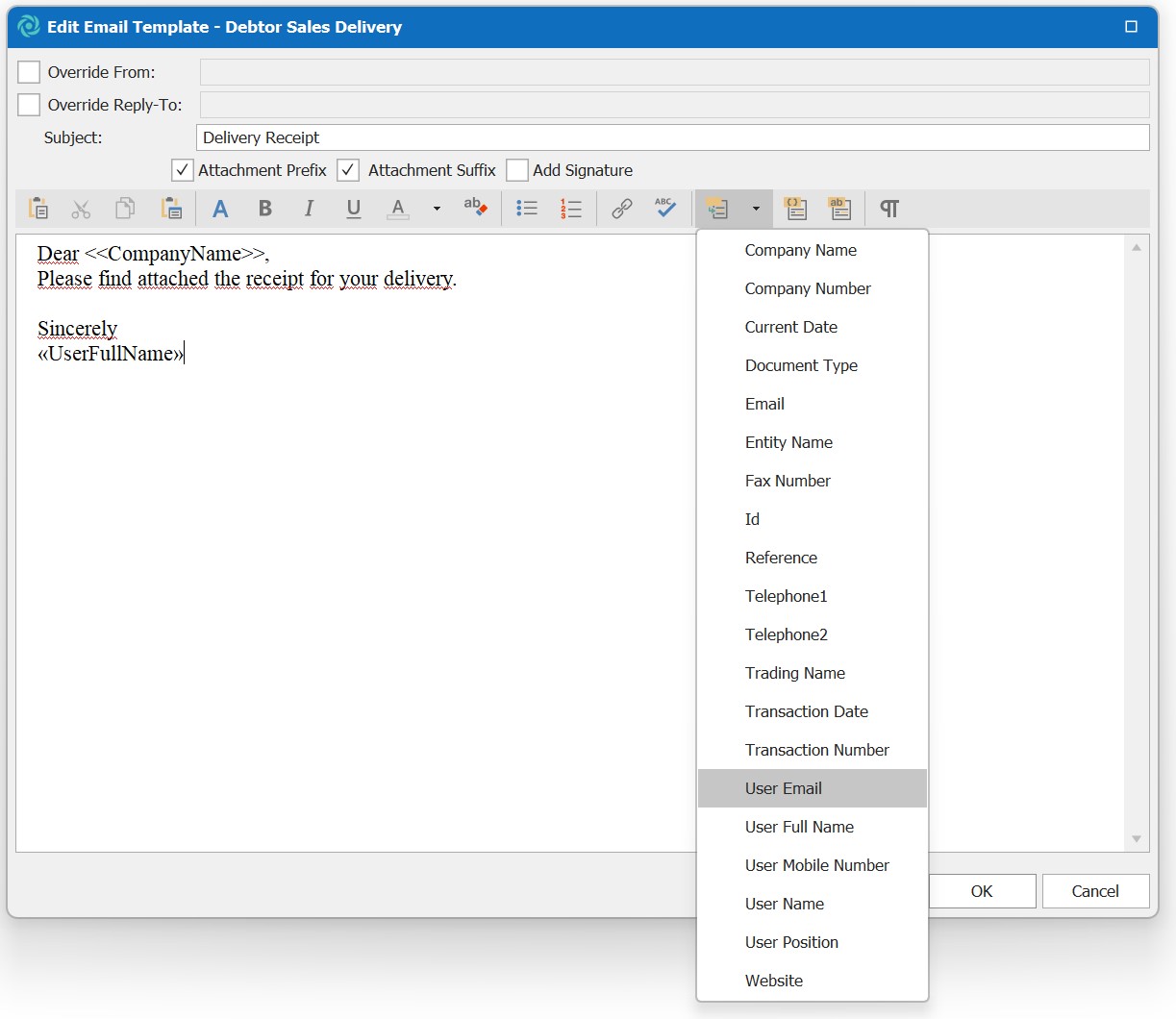
User Email Address has been added to the merge field of options in email templates. (CR2605-6071)
Database improvements for a smoother experience
Improvements have been made and stored procedures have been refactored concerning Product Balance Last Modified, reconciliation log 'mass' update, Product Category Extended Description, Product Search and budget import. These changes reduce database calls for more responsive performance. (CR2605-6025, CR2605-6026, CR2606-6132, CR2606-6150, CR2606-6198)
Report redesigns
The following reports have been updated to the new reporting standard introduced in version 26.00. (CR2609-6617)
Service:
- Service Requests Card Report
- Service Models Report
- Service Items Report
- Service Groups Report
- Workflows Report
- Transaction History Report
- Service Request Summary Report
- Service Request Detail Report
- Service Quote Details Report
- Service Analysis Report
- Service Outstanding Transfer Orders Report
- Meters Report
- Appointments Report
Jobs:
- Transaction History Report
- Stages Report
- Project Actual vs Budget Report
- Job Summary Report
- Job Inactivity Report
- Job Groups Report
- Job Estimate Details Report
- Cost Centres Report
- Appointments Report
- Actual vs Budget Report
Inventory:
- Transaction History Report
- Quantity & Value Report
- Product Structures Report
- Product Inactivity Report
- Product Catalogue Report
- Preferred Suppliers Report
Creditors:
- Withheld Agreement Report
- Transaction History Report
- Sales Representatives Report
- Periodic Bills Report
- Customers Report
- Customer Statements Report
- Customer Inactivity Report
- Customer Groups Report
- Aged Balances Report
Debtors:
- Withheld Agreement Report
- Transaction History Report
- Suppliers Report
- Supplier Statements Report
- Supplier Inactivity Report
- Special Prices Report
- Purchases by Product Report
- Purchase Summary Report
- Purchase Requisitions Report
- Purchase Price Variance
- Purchase Details Report
- Outstanding Orders Report
- Aged Balances Report
Quote column has been added to the Service Request Summary report. (CR2607-6315)
Changes to SQL Express warning messages
Microsoft SQL Server 2025 Express has increased the maximum database size from 10GB per database to 50GB per database. Sybiz end users are advised that they are running SQL Express in the tooltip, but all other specific messages about running SQL Express have been removed. Databases under 1GB do not show their size. (CR2607-6401)
Create a new requisition from a previous purchase invoice
The same copy lines feature that exists for sales transactions has been ported over to purchase transactions, including purchase requisitions. (CR2608-6488)
Smarter default values when offsetting
When selecting a parent transaction, the offset amount will be set to the lowest possible value based on either the parent or child transaction amount. Any change to the value will be overwritten when selecting a different parent transaction. The list of available parent transactions presented will only be those that can be selected based on the child transaction type. (CR2608-6521)
Include Stores in Posting Details
The Posting Details report has a new option to display store posting accounts. The accounts are never required, however, because stores do not mandate the use of posting accounts. (CR2608-6538) Warnings will be displayed when editing stores, GL defaults and on sales transactions when using a store that has a posting account defined but the GL posting method is set to anything other than accrual. (CR2608-6540)
'Track Order' functionality for Transfer Orders
A Track Order button is added to the Transfer Order functions tab after it's processed. Track Order functionality could already be accessed from the transfer order enquiry panel. (CR2609-6559)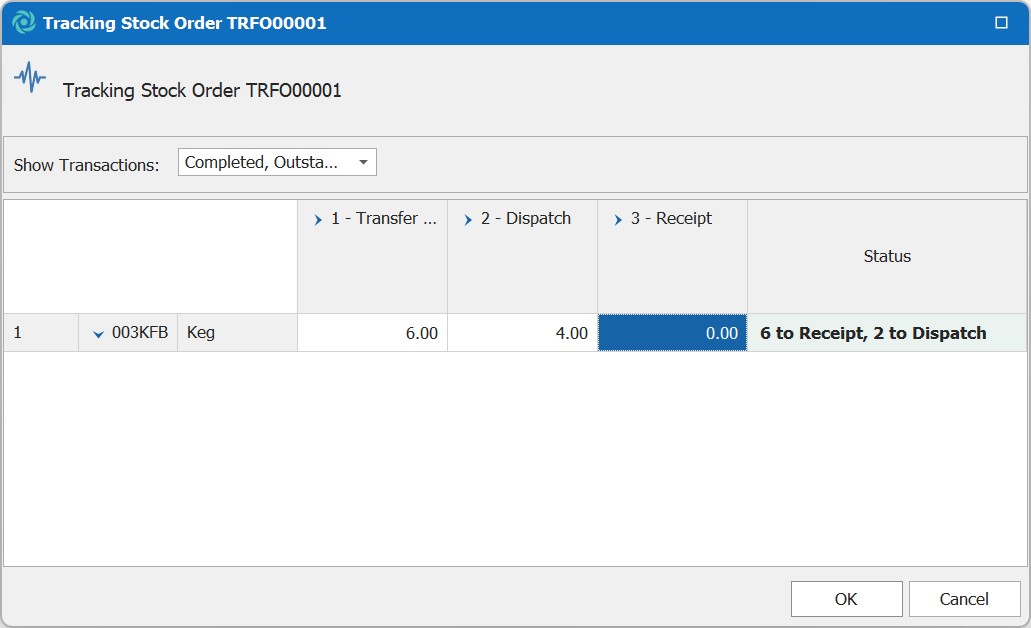
Improvements for breakpoints built around Purchase Requisitions
"ShowPurchaseRequestForm" can be called with an unsaved purchase requisition. (CR2609-6562)
Addition of Tax Boxes to Irish databases
Add ES1 and ES2 tax boxes to databases that do not have them. These boxes split services from goods pertaining to European (non-Ireland) supplies. A tax code is also added to new databases, as are tax box assignments. (CR2609-6626)
Tooltips added to the icons in Template List rows
Tooltips have been added for clarity when creating a template for a journal. These tips, visible when hovering over buttons, clearly identify the button's function. (CR2610-6731)
Breakpoint helper added to clarify long wait time
A breakpoint helper has been added to display a 'wait form' confirming to end users that the program is still processing data during time-consuming operations. (CR2610-6741)